
Toast - Usage
Toasts are brief user feedback messages that overlay content.
AndroidreleasedElementsreleasediOSreleasedReact 19released
Deprecated
The Toast component is deprecated in favor of Snackbar.
Behavior
- Toasts automatically disappear after a predefined timeout of 5000 ms ("short"), 10000 ms ("long") or "infinite" (6000000 ms), depending on the context or the length of the message.
- When appropriate, and if the message isn’t critical, the toast can also be dismissed manually using the close button.
- Toasts have a minimum width of 328px, and a maximum width of 420px to maintain readability on wide viewports.
Best practices / usage guidelines
- Toasts shouldn’t interrupt the user’s experience.
- They should appear at the bottom of the user interface.
When to use
A toast is used for global notifications of small importance that are not critical and do not need to interrupt the user’s flow. It can be triggered by either a system event or user interaction.
When not to use
- For immediate attention: If the notification requires users’ attention right away, consider using an Alert or Modal instead.
- For long-term global information: If the notification conveys information that is relevant to all users or a group of users over a longer period, consider using an Alert instead.
Placement
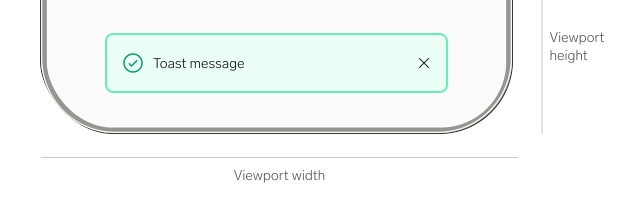
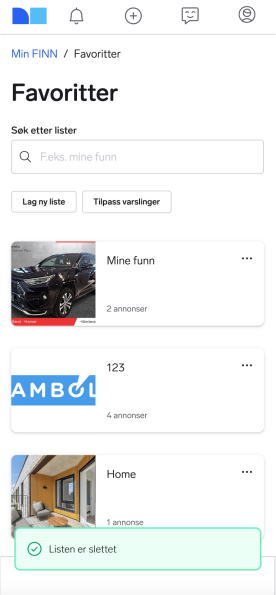
Toast notifications are positioned at the bottom centre of the screen, 16px above the viewport edge. They overlay the content without shifting the layout and remain visible even while scrolling.
We do not recommend placing toasts in any other part of the viewport.

Questions?
Feel free to ask any questions on usage in the Warp DS Slack channel: #warp-design-system