
Breadcrumbs - Overview
Breadcrumbs show users their current location relative to the information architecture and enable them to quickly move up to a parent level or previous step.
Example
Anatomy
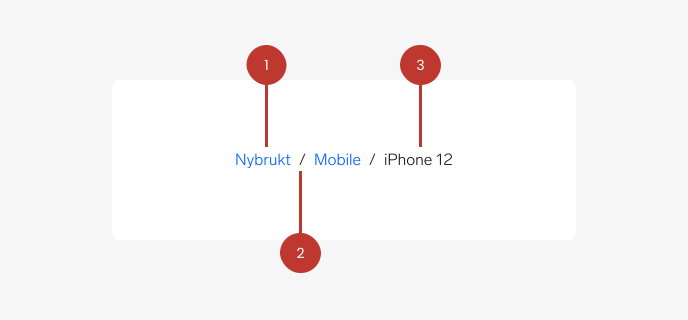
1. Path/level: The section or page within the app, usually a link.
2. Separator: A forward slash symbol (“/”) positioned between each item in the list. It provides visual distinction between individual links (or crumbs) using the same font as the rest of the breadcrumbs.
3. Current page: This is the last item in the breadcrumbs and shows the current page the user is on. It uses default text, and should not be a clickable link.
Content
Breadcrumbs expect their component children to be the link "crumbs" that make up the navigation structure. The component will interject a separator between the crumbs.
Questions?
Feel free to ask any questions on usage in the Warp DS Slack channel: #warp-design-system