
Icons - Styling
Warp’s icons are crafted to deliver consistency, clarity, and scalability across our multi-brand product ecosystem.
Scalability
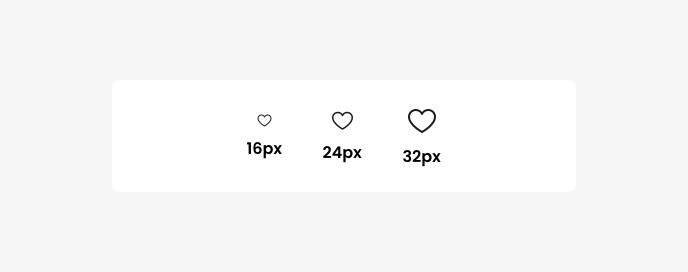
Our icon set is fully scalable, with stroke widths that increase proportionally with size. This ensures a clean, balanced appearance at all resolutions:
- 16px (small) icons use a 1px stroke
- 24px (medium) icons use a 1.5px stroke
- 32px (large) icons use a 2px stroke
This proportional scaling maintains visual clarity and consistency across different UI contexts.
Custom scaling
While we recommend using the predefined sizes (16px, 24px, 32px) to ensure design consistency, icons can be scaled to custom sizes when necessary.
Custom scaling in Figma
If custom sizing is required, designers must use Figma’s scaling tool to maintain proportional stroke thickness. Scaling icons without this tool can result in distorted strokes or unintended visual inconsistencies.
To scale an icon correctly in Figma:
- Select the icon.
- Press K to open the scaling tool.
- Change scale dimensions in the right side menu.
This method ensures stroke width scales correctly with the icon’s size.
Questions?
Feel free to ask any questions on usage in the Warp DS Slack channel: #warp-design-system